First Look at Rivian's 'Gear Guard Live Cam' Feature Coming Soon in Update 2024.35

By Rivian Wave Staff
Rivian Wave

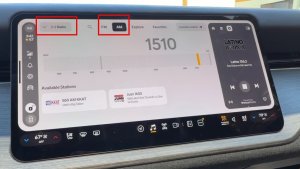
Rivian is preparing to launch a highly anticipated feature in its upcoming 2024.35 vehicle software update: the Gear Guard Live Cam. This new addition will give Rivian owners more control over their vehicle's security, allowing them to view live camera feeds directly from the Rivian app.

While the 2024.35 update has yet to go out, it's expected to roll out in the coming weeks. Yesterday, Rivian added Live Cam support to its latest app update (v2.14).

Gear Guard Live Cam Features

We were lucky enough to get our hands on a couple of tutorial images from the app update that reveals how the feature will work. When you launch Gear Guard Live Cam, you'll see a single feed from one of the vehicle's cameras. Beneath the video, users can easily switch between the camera view by tapping an arrow that’s overlaid on top of the vehicle's image. For the R1S, you’ll have four options, including the front camera, side-view cameras, and rear camera. While R1T owners will also have access to the truck’s bed camera, located at the center of the camera controls.

The interface also features two buttons at the bottom of the screen. One allows users to switch to full-screen video for a more detailed view, and the other appears that it will be used to trigger an alarm or special alert to warn individuals near the vehicle.

Rivian Wave

Requirements

In order to use Rivian’s new Gear Guard Live Cam, you’ll need several things. The good news is that the feature will be available on Gen 1 and Gen 2 vehicles, so they’re all included. Even if you have the latest app update, your vehicle will still need to have update 2024.35 for the feature to show up in your app.

The Gear Guard Live Cam will also require a subscription to Rivian's Connect+ plan, which costs $14.99 per month, or $149.99 per year. However, new vehicle purchases come with a free trial, and Rivian recently offered two months free when Connect+ was launched last month. We expect this feature to become available to most owners before the free trial runs out so that they can experience it for free.
Rivian’s Next-Gen Hardware: Steer-by-Wire, Wireless Charging, Autonomy

By Karan Singh
Rivian Wave

While Rivian’s current teams are laser-focused on bringing the mass-market R2 to production, the company’s R&D department is already laying the groundwork for the next major leap in its automotive technology.

A recent wave of newly published engineering job postings on Rivian’s site reveals exactly what they’re planning to build in the future. Rivian is actively and aggressively staffing up to develop steer-by-wire systems, wireless vehicle charging, and updated low-voltage architectures for its L4 autonomy packages.

Steer-by-Wire

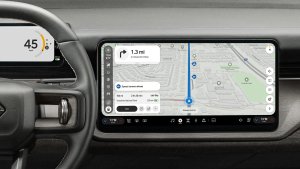
According to those recent job listings, Rivian is seeking specialized Senior Staff Technical Project Managers to lead the development of a steer-by-wire system.

Currently, the Tesla Cybertruck is the only mainstream production EV to fully embrace steer-by-wire. The technology completely severs the physical mechanical connection (the steering column) between the steering wheel and front tires, replacing it with electric motors and redundant sensors.

For Rivian, implementing steer-by-wire offers several massive advantages. It brings a dynamic steering ratio, enabling the vehicle’s software to change how much the wheels turn based on speed and drive mode. This means you won’t have to cross over your arms to make a tight U-turn in a parking lot, but the vehicle would also remain perfectly stable and smooth at 70 mph on the highway.

Removing the physical steering shaft also frees up valuable interior cabin space and saves weight. More importantly, a fully electronic steering system is also a prerequisite for a vehicle that will eventually have L4 autonomy.

Finally, and perhaps the most important, steer-by-wire enables easy conversion of vehicles from Left-Hand-Drive to Right-Hand-Drive, an essential aspect for Rivian’s eventual expansion to Europe. Since the R2 for Europe has been delayed, it could be due to the requirement for Steer-by-Wire.

Wireless Charging

Plugging in your EV at the end of the day is second nature to most owners, but Rivian is looking to eliminate that step. Recent postings for a Charging Attributes Engineer explicitly list wireless charging as a core development focus, alongside V2L (Vehicle-to-Load), V2H  (Vehicle-to-Home), and standard DC fast charging.

While wireless charging pads in home garages offer a fantastic luxury convenience, they are also a vital piece of the autonomy puzzle. If Rivian eventually achieves Level 4 autonomy, it needs a way to refuel itself without human intervention. 

Low-Voltage Upgrades

To tie it all together, Rivian is hiring heavily for software and hardware engineers to design low-voltage electrical systems specifically tailored for redundancy, intended for autonomous vehicles.

During their recent Autonomy & AI Day, Rivian confirmed their long-term goal of achieving true Level 4 autonomy, powered by their in-house RAP1 compute processor, alongside a suite of sensors, including LiDAR on future R2 models.

However, you cannot safely deploy an L4 vehicle without bulletproof redundancy. If the primary high-voltage system fails while the car is driving, the low-voltage system must be robust enough to take over and power the steer-by-wire motors, electronic brakes, and autonomy computers long enough to safely pull over.

How Far Away Is This?

While it is unlikely we will see steer-by-wire or wireless charging on any variant of the R2 in the near future, these job postings prove that Rivian isn’t just trying to break into the competitive mid-size SUV market, but actively building a vertically integrated tech stack, much like Tesla.

Rivian’s Treehouse Tent for the R2

By Karan Singh
Rivian Wave

The unveiling of the Rivian R2 gave us an incredible look at its mass-market future. But Rivian didn’t just unveil a new vehicle; they also unveiled an entire suite of accessories designed to lean heavily into the adventure lifestyle.

Chief among them is the highly anticipated Treehouse rooftop tent. While Rivian has previously partnered with third-party companies like Yakima and iKamper for R1 rooftop tents, the Treehouse is a completely bespoke, deeply integrated piece of hardware that essentially makes your future R2 into a luxury camper.

Battery Connection

The biggest pain point with traditional powered rooftop tents is cable management. You often have to awkwardly route an extension cord down the side of the vehicle, through a cracked window, and into a 12V or 120V outlet to get power up top.

Rivian had a great solution for this problem with its proprietary electrical connections integrated right into the R2’s roof structure, but that feature isn’t making it into production. Instead, the tent will be powered directly through the vehicle’s NACS port. While it’s not as seamless as through powered rails, this is still an improvement over traditional tents.

This allows the Treehouse to pull power directly from the R2’s massive battery pack and feed it straight into the tent, without going through any windows or doors into the vehicle.

Climate Control & Connectivity

Because the Treehouse has a direct connection to the R2’s battery, it also has a direct connection to a lot of the R2’s functions.

With the Treehouse, you don’t need to bring a tent liner or sleeping bag in the winter. The tent features integrated fan and heating controls, allowing you to dial in the perfect temperature for sleeping or relaxing, whether it's chilly in the mountains or warm in the forest.

Rivian Wave

Alongside that, Rivian has included four integrated USB-C ports, two per side, enabling you and your camping partner to get set up and charge your phones, cameras, tablets, and even power a Starlink while you take a break. 

Of course, like other high-end rooftop tents, the Treehouse also features integrated lighting, both inside and outside the cabin, so you can easily climb up or find whatever you need during the day or night.

Interior Luxury

@RivianUpdates

Rivian didn’t just stop at power; they designed the entire interior of the tent to feel like you’re still inside a Rivian vehicle. Essentially, they translated their premium interior directly from your cabin to your tent.

That means hard-molded touchpoints throughout the tent, including dedicated trays and cupholders, as well as a mounting system for their optional projector. A screen can be rolled down over one of the side windows, and it can quickly turn your backcountry adventure into a movie night with a few buttons.

Of course, if you’re in the outdoors, what better to do than gaze outdoors? The large glass window panels on the roof and sides give you unobstructed views of the night sky and the terrain around you, while keeping bugs and elements out.

Aerodynamic Hardshell

Efficiency is everything for an EV, especially when you strap a large box to the roof rails. The Treehouse features a sleek, hard-shell exterior that’s designed to minimize drag and preserve as much of the R2’s range as possible while you exit suburbia and make it to your camping destination.

Rivian Wave

Will It Be Produced?

Rivian’s accessory team has a history of dreaming big and sadly falling flat. Early R1T reservation holders will painfully remember the original Camp Kitchen and Gear Tunnel Shuttle, which never materialized in their original forms due to cost and manufacturing complexities, or even the removable roof Rivian prototyped for the R1.

Rivian Wave

However, the Treehouse might actually make it as-is, because the R2 is specifically designed with those integrated power ports specifically for a powered tent. The fact that the most recent prototypes that reviewers went hands-on with still had the ports means that Rivian is clearly committed to getting this tent to market.

If they can execute and keep the price reasonable, the Treehouse might just become the must-have accessory for the R2.

Latest Rivian Update