


![Rivian Assistant Recommends Rivians When Asked About Teslas [VIDEO]](https://www.rivianwave.com/img/paths/storage/rivian-screen/rivian-assistant-preview.webp/7a93353f761a17cd4b31e7b3894c2ef5/rivian-assistant-preview.jpg)
![Rivian Introduces Captain Chairs in New 2027 R1S [Photos and Features]](https://www.rivianwave.com/img/paths/storage/r1s/2027/rivian-captains-chairs-6.webp/bad084a306d3a6e0c2a95b4307d1325a/rivian-captains-chairs-6.jpg)

Universal Hands-Free
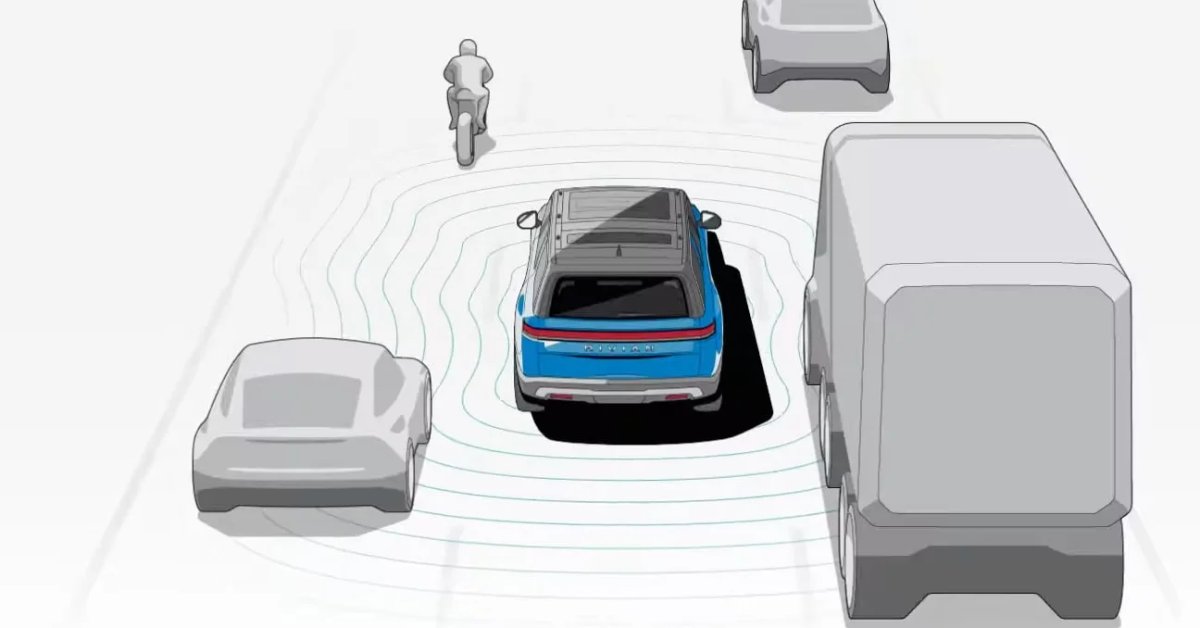
Universal Hands-Free steers, accelerates, and brakes your vehicle on roads with marked lanes, allowing you to let go of the steering wheel for extended periods, as long as you’re looking at the road. Universal Hands-Free is now available on more than 3.5 million miles (5.6 million km) of roads in the US and Canada, and it relies on Driver Attention Detection to confirm that you’re paying attention to the road ahead of you.
When Universal Hands-Free is available on a marked road as indicated by the Universal Hands-Free icon near the speedometer, pull the drive stalk towards you twice to activate Universal Hands-Free.
System Limitations
Universal Hands-Free is an advanced driver assistance feature designed to support the driver, but doesn't replace the driver's attention, judgment, and need to control the vehicle.
Universal Hands-Free doesn't make your vehicle autonomous or self-driving. Stay alert at all times of road conditions. Always be prepared to take control of the vehicle if needed.
Universal Hands-Free isn’t a point-to-point system and doesn’t make turns or follow navigation instructions. If you’re in a turn-only lane, you must take control of the vehicle and steer it appropriately.
Universal Hands-Free doesn’t automatically stop at traffic lights and stop signs. Notifications may appear, and you must take the appropriate action in these scenarios. It is your responsibility to follow traffic laws.
Universal Hands-Free doesn’t update the set speed automatically as the speed limits change. It is your responsibility to monitor the posted speed limits and adjust the set speed.
Don't use Universal Hands-Free in unsupported conditions such as when a trailer is connected, the vehicle tows heavy loads, or clearly marked lanes aren't present.
Don't use Universal Hands-Free on slippery, unpaved, wet, or snowy roads.
Universal Hands-Free won't do the following:
Drive the vehicle through high curvature roads such as roundabouts and sharp turns.
Detect special-use lanes such as bike lanes, bus lanes, and emergency lanes.
Detect and react to oncoming or crossing vehicles, uncommon objects, or odd-shaped objects including, but not limited to, open doors, barrels, poles, debris, and trailers.
React promptly to road users around blind corners, crossing intersections, and narrow driving situations.
Slow down or stop for speed bumps, dips, upcoming traffic lights, or stop signs.
Steer in response to temporary lane lines marked by cones, barrels, or similar construction materials.
React to special crossing scenarios such as railway crossings.
Follow navigation prompts or make turns in turn lanes.
For more information and important warnings, go to the Owner's Guide on the center display and search for Universal Hands-Free.
Autonomy Drive Styles
Autonomy Drive Styles allow you to customize the driving behavior of our driver assistance systems and features:
Universal Hands-Free, Highway Assist, Adaptive Cruise Control, and Lane Change on Command.
Choose Mild for a relaxed style with more gap distance and more gradual lane changes.
Choose Medium for a balanced style to manage cut-ins and accelerate with traffic flow.
Choose Spicy for a more dynamic style with a tighter gap distance and quicker steering during lane changes.
To change Drive Styles while you drive, press the thumb control buttons on the right side of the steering wheel.
Updated Control to Adjust Speed
To adjust speed while in Universal Hands-Free, Highway Assist, or Adaptive Cruise Control, roll the right thumbwheel up or down on the steering wheel.
Driver Display Now Customizable
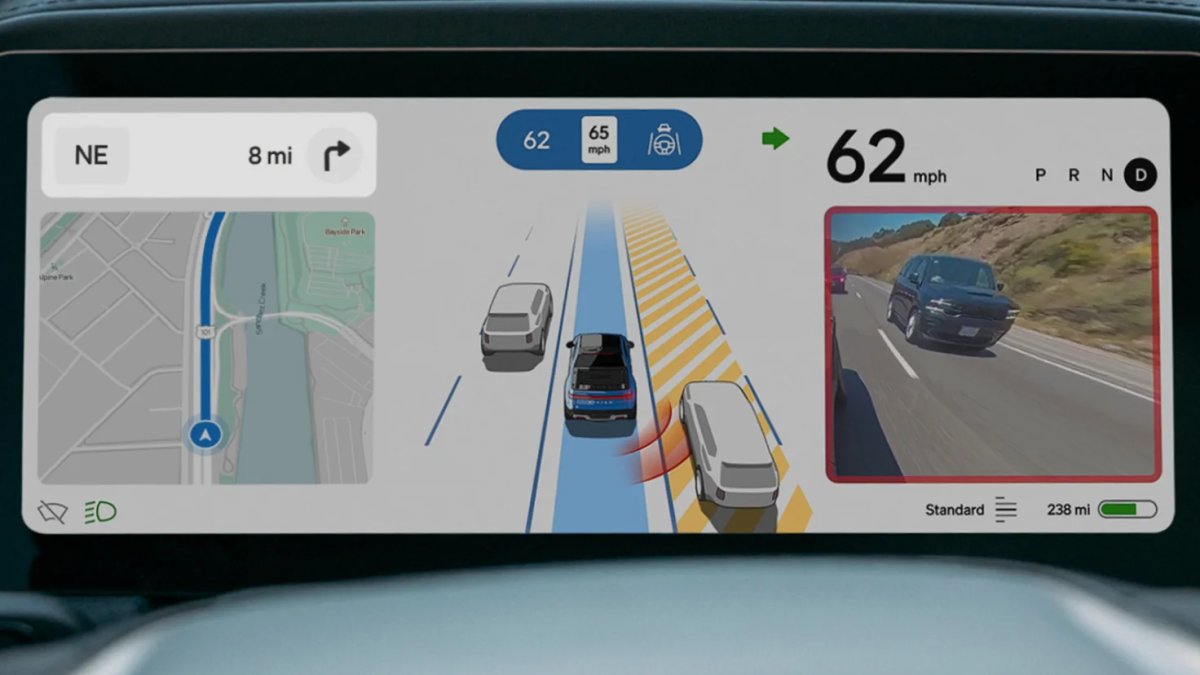
You can now switch between the Autonomy view, which shows surrounding lanes and vehicles, and the Maps and Navigation view on the driver display. Press the right thumbwheel on the steering wheel to swap.
NOTE
While showing the Maps and Navigation view, the driver display automatically switches back to the Autonomy view if you engage Universal Hands-Free or Highway Assist, or if the Park Assist sensors are triggered.
Enhanced Autonomy View
The Autonomy View now zooms out to show more of the area behind your vehicle, so you have more context for maneuvers such as lane changes and turns.
IMPORTANT
Your vehicle is equipped with only advanced driver assistance features. These driver assistance features are designed to support the driver, but do not replace the driver's attention, judgment, and need to control the vehicle.
Rivian Digital Key
Use the new digital key through the native Wallet app on your iPhone® and Apple Watch®, Google Pixel, or Samsung device to seamlessly access and drive your vehicle. Digital key offers these benefits:
Greater reliability for passive entry.
Enhanced accuracy and security with the use of UWB (Ultra Wide Band) technology.
Improved interoperability across devices.
Ability to easily share up to 8 keys with family and friends.
Vehicle access via NFC (Near Field Communications) for up to 5 hours after your phone runs out of battery power.
Digital key is available with the vehicle software version 2025.46 or later and the Rivian mobile app version 3.8.0 or later. Use only the Rivian mobile app for setup. The mobile app notifies you about the digital key option, or go to Settings > Drivers and keys > Upgrade your phone key in the mobile app. Follow the on-screen instructions to complete the setup. For more information, go to the Owner's Guide on the center display and search for digital key.
RAD Tuner Drive Mode: Create, Customize, Curate
The Rivian Adventure Department (RAD) brings you RAD Tuner, which was developed by the team behind our historic wins at Rebelle Rally and Pikes Peak International Hill Climb.
Exclusive to Quad-Motor vehicles, this feature allows you to go beyond the factory presets and optimize the vehicle's dynamic behavior for your preferences and the terrain. Use intuitive touch sliders to build and save custom drive modes by adjusting these independent settings:
Acceleration
Regen
Brake assist
Steering assist
Ride height
Torque balance
Wheel slip
Stability
Damping
Roll stiffness
DANGER
Keep Stability on in most driving conditions. Electronic Stability Control optimizes vehicle traction and provides anti-skid support.
Turning off Stability disables Electronic Stability Control.
To access RAD Tuner mode, go to Drive Modes on the center display. Choose RAD Tuner presets next to the Off-Road tab. For more information and important warnings, go to the Owner's Guide on the center display and search for RAD Tuner.
Introducing Kick Turn
For Quad-Motor vehicles only, boost its off-road agility with Kick Turn. By leveraging the power of all four motors working together, your vehicle can now rotate in place or significantly reduce its turning radius while moving at speeds under 15 mph (24 km/h).
Whether you are navigating a tight hairpin, tackling a switchback, or turning around on a blocked trail, you can now pivot precisely where you need to go. No more 3-point turns—go off-road and kick it responsibly.
DANGER
Only use Kick Turn on flat, smooth, hard-packed dirt roads or trails.
Never use Kick Turn on deep surfaces such as sand or mud.
To activate Kick Turn, go to Drive Modes on the center display, and choose All-Terrain or Rock Crawl. Then choose Kick Turn mode and follow the on-screen instructions. For more information and important warnings, go to the Owner's Guide on the center display and search for Kick Turn.
Additional Improvements
Navigation
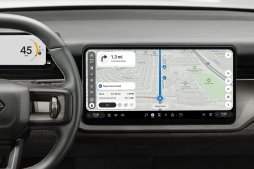
When the vehicle isn’t following a route, Navigation now zooms out on the map and shows more geographical context, such as buildings and parking lots.
At the start of a route, you now have a brief window to select alternate routes after you choose the Home button, the Work button, or Go on a search item.
We improved the loading performance of the Navigation app.
Improved drive mode behavior by saving the selected Regen setting per drive mode.
Enhanced throttle control for more responsive vehicle handling in the Soft Sand, Rally, and Drift modes, if available. The accelerator pedal offers more precise control in the less restrictive Stability settings, Reduced and Off, so you have finer control to adjust wheel slip and vehicle attitude (its orientation in space). (R1T Gen 2, R1S Gen 2)
Charging
Improved stability of AC charging. (R1T Gen 2, R1S Gen 2)
Improved robustness of AC charging in cold weather conditions. (R1T Gen 2, R1S Gen 2)
Fixed an issue that kept the vehicle from charging on the set schedule. (R1T Gen 1, R1S Gen 1)
Fixed an issue that prevented charging from ending when you pressed the charge port button to stop the charging session and the schedule was active. (R1T Gen 1, R1S Gen 1)
Fixed issues that prevented the charger handle from being unplugged after DC fast charging ended. (R1T Gen 1, R1S Gen 1)
Fixed an issue that impacted the charge port indicator and the in-vehicle charge status display. (R1T Gen 1, R1S Gen 1)
Improved the loading performance of SiriusXM®.
Improved passive entry performance with the iPhone 17.
Fixed a rare issue that affected 12 V battery health in cold weather. (R1T Gen 2, R1S Gen 2)
Fixed a rare issue that caused the 12 V battery to drain when the vehicle woke from sleep. (R1T Gen 1, R1S Gen 1)
Fixed a rare issue that kept the liftgate from closing properly. (R1S)
Fixed an issue that disabled phone proximity features in rare conditions. (R1T Gen 1, R1S Gen 1)
Fixed an issue that prevented the Rivian mobile app from updating the current drive mode. (R1T Gen 1, R1S Gen 1)






